How to plan Lost Ark skills, tripods and engravings
The Character Builder plans a skill build for any advanced class in Lost Ark without spending your character's skill points. You set each skill's level, pick one tripod per tier and add class and combat engravings, and the address bar keeps the complete build as a link. The example in this guide is a Berserker with four skills at level 10 and the Mayhem class engraving at level 3.
Pick a class and its skills
Choose the class in the list on the left. Its combat skills fill the skill list, and the plus and minus buttons beside each skill set its level. The toolbar shows the skill points the build spends. Raising Hell Blade to level 10 costs 48 points (1, 1, 2, 4, 4, 8, 8, 8 and 12 for levels 2 to 10), so the example spends 192 points on Hell Blade, Red Dust, Mountain Crash and Sword Storm.
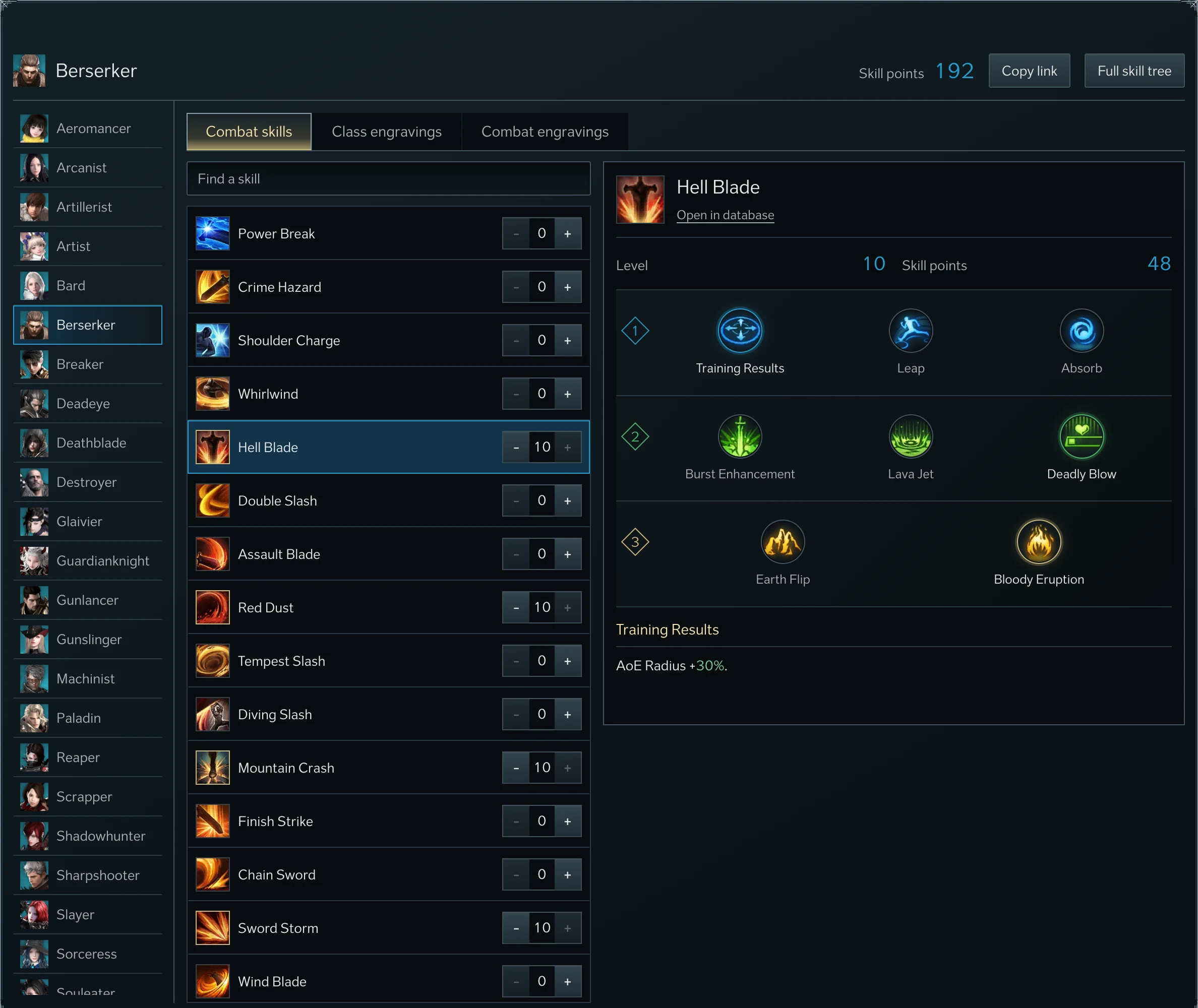
Choose tripods
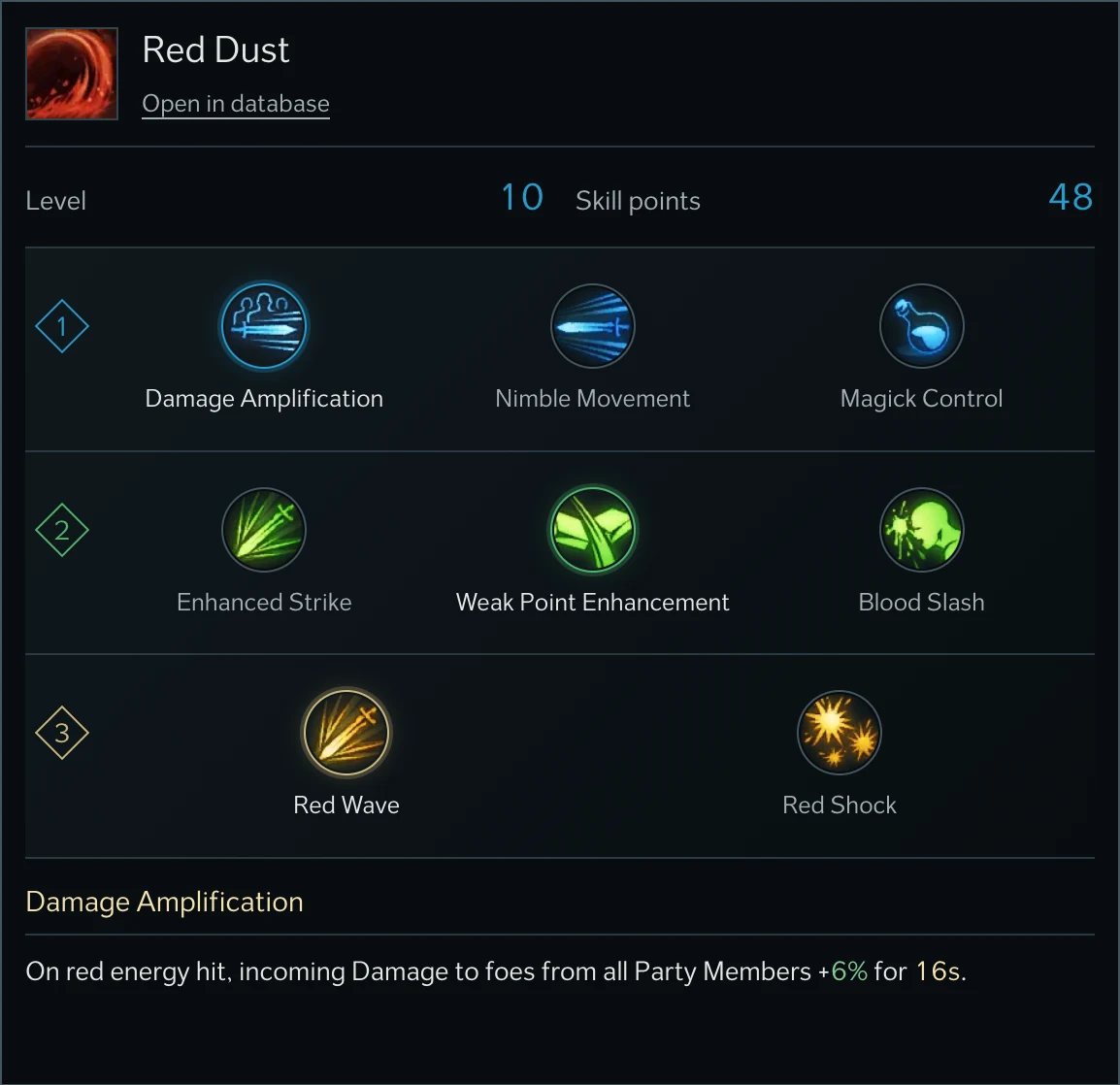
Select a skill to open its tripods. Each of these Berserker skills offers three tripods in the first tier, three in the second and two in the third, and you keep one per tier. A skill needs at least one level before its tripods can be chosen. For Red Dust the example takes Damage Amplification, Weak Point Enhancement and Red Wave. Pointing at or selecting a tripod shows its effect below the tree.
Add engravings and share the build
The Class engravings tab lists the two engravings of the selected class with levels 1 to 3, and the Combat engravings tab offers 5, 10 or 15 nodes for each combat engraving. Every engraving shows its effect at the chosen level under its name, and the first level's effect, dimmed, until you choose one. Full skill tree opens the class's skill list in the database.

The builder keeps your latest build in this browser. Copy link puts the build's address on the clipboard, and anyone who opens it sees the same class, skills, tripods and engravings. Opening a shared build leaves your own saved build untouched until you edit the one on screen.